In this guide
The best gaming laptops for most people right now start with the Lenovo LOQ 15 Gen 11, a budget to mid-range RTX 5060 laptop with room to add memory and storage later. If your limit is $1,000, get the MSI Katana 15 HX with an RTX 5050, at about $1,000 at Walmart. Spending more buys a faster GPU first; at the premium end, the extra money goes into the screen and a lighter body.
At Jayrank we grouped the five picks by budget, from a gaming laptop under $1,000 to the Razer Blade 16. When you compare them, look at the watts the maker lets the graphics chip use, not only the chip’s name. The guide after the picks explains why in plain words.
The best budget gaming laptops, under $1,000 and just above
A budget gaming laptop in 2026 has an RTX 5050 or RTX 5060 GPU (the graphics chip that draws the game), a 15-inch screen at 1080p or 1200p (1920 x 1080 or 1920 x 1200 pixels), and 16 GB of memory. Prices are higher than a year ago: Notebookcheck reports that rising memory and storage costs pushed gaming laptop prices up in 2026. That is why only one of our picks sits under $1,000.
Best gaming laptop under $1,000
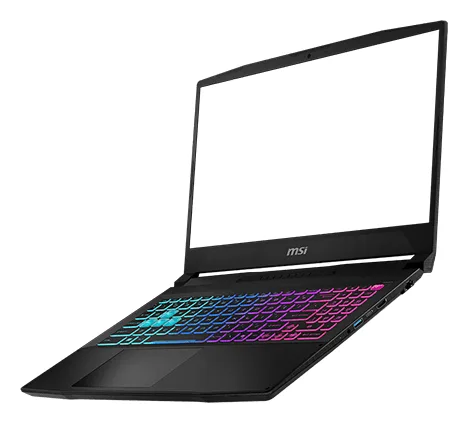
MSI Katana 15 HX (B14WEK, RTX 5050)
Best for: first-time PC gamers who want an RTX laptop for 1080p games and can spend about $1,000.
The MSI Katana 15 HX B14WEK is the cheapest laptop here with a current RTX graphics chip. MSI’s US spec sheet lists the RTX 5050 at up to 115 W, with 8 GB of VRAM (the GPU’s own memory for textures). It also lists a 16-core Core i7-14650HX, 16 GB of DDR5 memory (the current laptop memory standard) in two slots, and a 75 Wh battery.
The weak part is the screen. It is a 15.6-inch 1920 x 1080 panel at 144 Hz (it can redraw the picture 144 times per second), and Tom’s Hardware’s review measured it at about 257 nits (a unit of screen brightness), which looks dim in a bright room. If you play at a desk, an external monitor fixes that.
Skip the Katana if you want to carry it every day: it weighs 5.29 lb (2.4 kg). Storage is a single 512 GB SSD (solid-state drive) in the only M.2 slot, the small slot that holds the drive.
Typical price: about $1,000 at Walmart for the RTX 5050 model with 16 GB and 512 GB, the price Tom’s Hardware lists in its review.
Pros
- RTX 5050 rated at up to 115 W, which MSI calls full power
- 16-core Intel Core i7-14650HX processor
- Two memory slots that take up to 96 GB
- Four-zone RGB keyboard with a number pad
Cons
- 1080p, 144 Hz screen that Tom’s Hardware measured at only about 257 nits
- One M.2 slot and a 512 GB drive in the base model
- 5.29 lb (2.4 kg) and a 1-year warranty in the US
Best budget gaming laptop
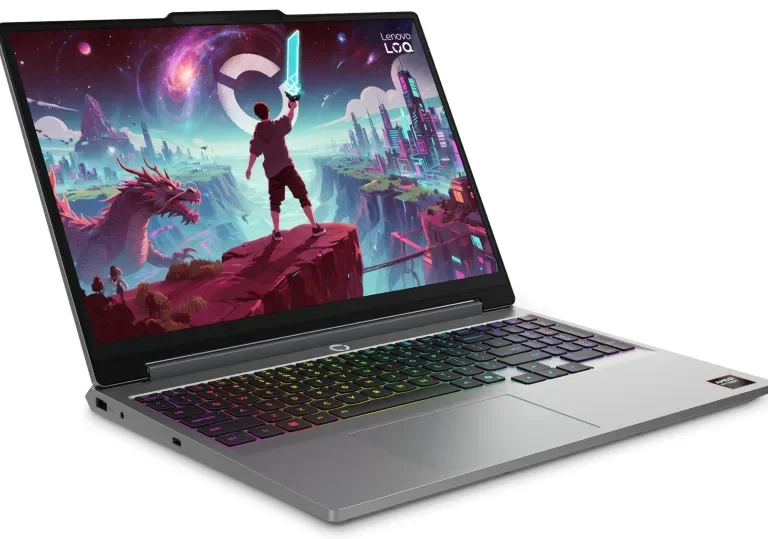
Lenovo LOQ 15 Gen 11 (15AHP11, RTX 5060)
Best for: students and gamers who want the most graphics power per dollar and plan to upgrade memory or storage later.
The Lenovo LOQ 15 Gen 11 is our pick for the best budget gaming laptop because it pairs a stronger GPU with parts you can upgrade. Lenovo’s spec sheet for the 15AHP11 lists the RTX 5060 at 115 W with 8 GB of VRAM, an AMD Ryzen 7 250 with 8 cores, and two DDR5 memory slots.
The older Gen 10 model ran the same RTX 5060 at 100 W, so check the model number on any deal. Some stores still sell the Gen 10 with a 15.6-inch screen.
The 15.3-inch screen is 1920 x 1200 at 165 Hz and covers 100% of sRGB, the standard color range for games and the web. A 2560 x 1600, 180 Hz panel at 400 nits is an option.
Two M.2 slots let you add a second SSD when your game library outgrows the first one. The USB4 port (a fast USB-C port, 40 Gbps here) also charges the laptop. The LOQ weighs 4.6 lb (2.1 kg).
Typical price: budget to mid-range. Prices for this model vary a lot between US stores, so compare the exact model number (15AHP11) and memory size before you buy.
Pros
- RTX 5060 rated at 115 W, up from 100 W in the Gen 10 model
- 15.3-inch 1920 x 1200 screen at 165 Hz with 100% sRGB color
- Two memory slots and two M.2 SSD slots
- USB4 port that also charges the laptop at 65 to 100 W
Cons
- 60 Wh battery, the smallest of our five picks
- Standard screen reaches 300 nits; the brighter 400-nit panel costs more
- Lenovo lists 32 GB as the memory maximum
The best mid-range gaming laptop for higher settings
The mid-range step is an RTX 5070 running at its full rated power. That buys more frames at high settings and a better chance of using a 2560 x 1600 screen well.
Best mid-range gaming laptop
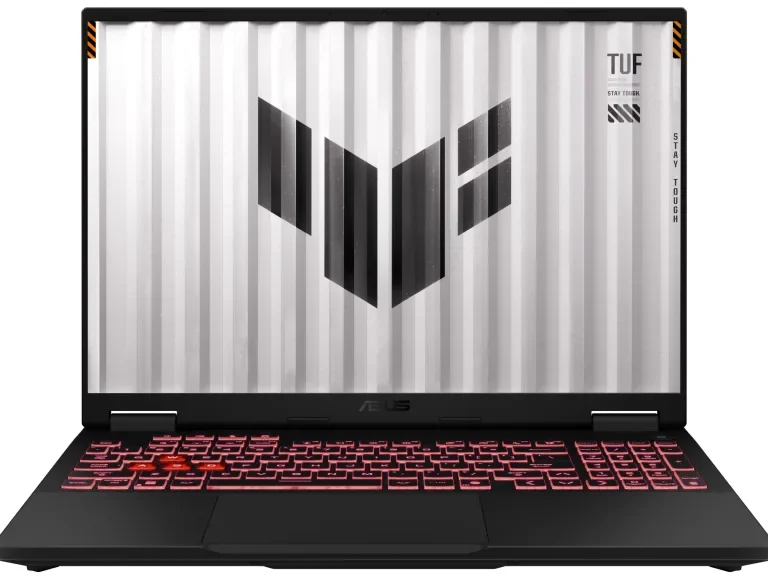
ASUS TUF Gaming A16 (2025)
Best for: gamers who want RTX 5070 performance and a large battery without paying for a premium chassis.
The ASUS TUF Gaming A16 runs its RTX 5070 at the same 115 W as the LOQ’s RTX 5060, so the faster chip isn’t held back. That figure includes 15 W of Dynamic Boost, extra power the laptop moves from the processor to the GPU when the processor isn’t busy.
The ASUS tech specs also list a MUX switch with Advanced Optimus, both explained in the GPU section below. Memory goes in two slots that take up to 64 GB, and most versions have a 90 Wh battery (some have 70 Wh).
The 16-inch screen is 1920 x 1200 at 144 or 165 Hz, or 2560 x 1600 at 165 Hz. Pick the 2560 x 1600 panel with the RTX 5070. With an RTX 5050 or 5060, the 1200p screen is the better match. The TUF A16 is sold with AMD Ryzen 7 260, Ryzen 9 270 or Ryzen 9 8940HX processors.
Typical price: about $1,300 and up at the ASUS US store for the entry configuration. The RTX 5070 model costs more and sits in the mid-range tier.
Pros
- RTX 5070 at up to 115 W (100 W plus 15 W Dynamic Boost)
- MUX switch with NVIDIA Advanced Optimus
- 90 Wh battery on most versions
- Two DDR5 memory slots, up to 64 GB
Cons
- 4.85 lb (2.2 kg)
- The RTX 5070 here has 8 GB of video memory
- Only single-sided SSDs fit the M.2 slot, per ASUS
The best premium gaming laptops: thin, light and OLED
Premium gaming laptops start around $2,350. Both picks here use OLED screens, where each pixel makes its own light for deep blacks, and both are under 0.75 in (19 mm) thick. Neither lets you add memory later.
Best 14-inch gaming laptop
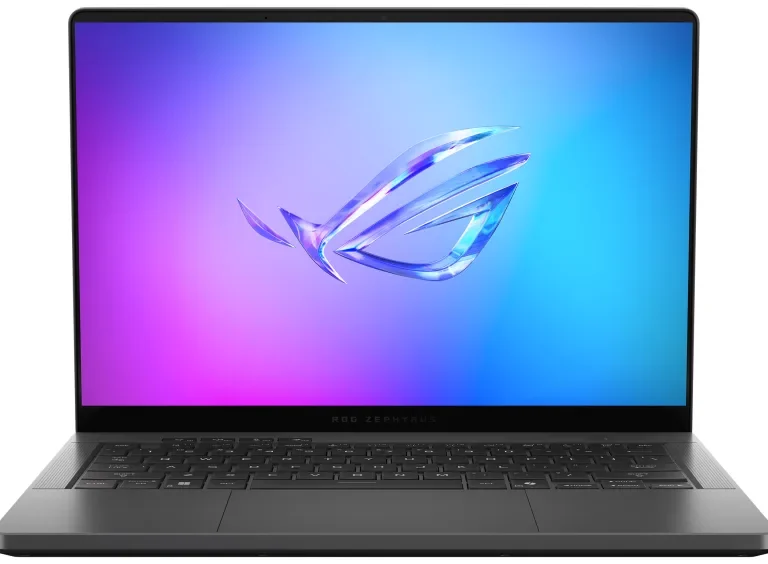
ASUS ROG Zephyrus G14 (2025)
Best for: students and travelers who want one laptop for class or work during the day and games at night.
The ASUS ROG Zephyrus G14 is the lightest laptop on this list, at 3.31 lb (1.5 kg) in its lightest version. Its 14-inch OLED screen runs at 2880 x 1800 and 120 Hz. The model ASUS sells in its US store pairs a Ryzen 9 270 with an RTX 5070, 16 GB of memory and a 1 TB SSD.
The trade-off is GPU power. The G14 spec page rates its RTX 5070 at 90 W (75 W plus 15 W Dynamic Boost), while the TUF A16 gives the same chip 115 W. The G14 gives up some frame rate for a smaller, lighter machine.
The battery is 73 Wh. ASUS also sells Canadian versions, with model numbers ending in -CA.
Typical price: about $2,350 at the ASUS US store for the RTX 5070 model. The 2026 Intel version (GU405) with an RTX 5070 Ti is about $3,600 on its ASUS US spec page.
Pros
- 3.31 to 3.46 lb (1.5 to 1.57 kg)
- 14-inch 2880 x 1800 OLED screen
- RTX 5070, 5070 Ti or 5080 options
- 0.63 to 0.72 in (15.9 to 18.3 mm) thin
Cons
- RTX 5070 limited to 90 W, less than in the TUF A16
- Memory is soldered: 16 or 32 GB, no upgrades
- 120 Hz screen, slower than most gaming panels here
Best premium gaming laptop
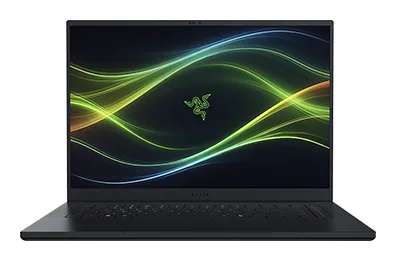
Razer Blade 16
Best for: buyers who want desktop-class graphics in a thin aluminum laptop and have the budget for it.
The Razer Blade 16 puts an RTX 5080 or RTX 5090 in a machined aluminum body, 0.59 in (14.9 mm) thin at its thinnest point. The 2026 models use an Intel Core Ultra 9 386H with 16 cores and LPDDR5X-9600 memory, a fast memory type soldered to the board.
Every version has a 16-inch 2560 x 1600 OLED at 240 Hz. Razer rates it VESA DisplayHDR TrueBlack 1000, a VESA standard for bright, high-contrast HDR on OLED screens, and lists up to 1,100 nits in HDR mode. The 2026 models add Thunderbolt 5, a USB-C port for very fast docks and drives (80 Gbps normally, and up to 120 Gbps one way with Razer’s Bandwidth Boost).
Razer still sells the 2025 AMD model (Ryzen AI 9 365) with an RTX 5060, the cheapest way into a Blade. For that money, though, a mid-range laptop with an RTX 5070 runs games faster. The Blade makes sense with an RTX 5070 Ti or better, when you want the thin body and the OLED screen.
Typical price: about $2,400 to $5,600 at Razer’s US store. That is about $2,400 for the 2025 RTX 5060 model, about $4,000 for the 2026 RTX 5080 model, and about $5,600 for an RTX 5090 with 64 GB.
Pros
- 0.59 to 0.69 in (14.9 to 17.4 mm) thin, 4.71 lb (2.14 kg)
- 16-inch 2560 x 1600 OLED at 240 Hz, VESA DisplayHDR TrueBlack 1000
- Up to an RTX 5090 at 165 W
- 90 Wh battery and Thunderbolt 5 on the 2026 models
Cons
- The most expensive pick by far
- Memory is soldered and can’t be upgraded
- 1-year laptop warranty (the battery gets 2 years)
Best gaming laptops compared: which one is for you?
| Laptop | GPU (max power) | Weight | Typical price | Best for |
|---|---|---|---|---|
| MSI Katana 15 HX | RTX 5050 (115 W) | 5.29 lb | about $1,000 (Walmart) | Under $1,000: 1080p on a tight budget |
| Lenovo LOQ 15 Gen 11 | RTX 5060 (115 W) | 4.6 lb | Budget to mid-range | Budget: most GPU per dollar, upgrades later |
| ASUS TUF Gaming A16 | RTX 5050 to RTX 5070 (up to 115 W) | 4.85 lb | about $1,300 and up (ASUS) | Mid-range: high settings, long battery |
| ASUS ROG Zephyrus G14 | RTX 5070 (90 W) | 3.31 lb | about $2,350 (ASUS) | Premium 14-inch: carrying it every day |
| Razer Blade 16 | RTX 5060 to RTX 5090 (up to 165 W) | 4.71 lb | about $2,400 to $5,600 (Razer) | Premium: top performance in a thin body |
Prices are approximate US prices in US dollars, rounded, at the store named in each row, checked in November 2026. They change often, and prices and configurations in Canada and Europe differ.
Which GPU for a gaming laptop? RTX 5050 to RTX 5090 explained
The GPU decides how many frames per second you get, and you can’t swap it later. Choose it by your screen resolution and budget, then check how many watts the maker gives it, because the same chip runs at different speeds in different laptops.
Which GPU fits your screen and budget
The VRAM figures below come from NVIDIA’s RTX 50 laptop specs. More VRAM leaves room for higher texture settings.
- RTX 5050 (8 GB): entry level for 1080p screens at medium to high settings. Found in laptops near $1,000.
- RTX 5060 (8 GB): the best value for 1080p and 1200p screens at high settings.
- RTX 5070 (8 or 12 GB): the step up for 1440p and 1600p screens.
- RTX 5070 Ti (12 GB) and RTX 5080 (16 GB): high settings at 1440p and above, with more room for large textures.
- RTX 5090 (24 GB): the fastest laptop GPU, for players and video editors who want the most and will pay for it.
What TGP means, and why the same RTX chip runs at different speeds
TGP (total graphics power) is the most power, in watts, that the laptop maker lets the GPU draw. More watts let the chip hold higher clock speeds, which means more frames, as long as the cooling can keep up. Many makers include Dynamic Boost watts in the figure they publish.
Our own picks show how wide the gap can be. ASUS rates the RTX 5070 at 90 W in the Zephyrus G14 and at 115 W in the TUF Gaming A16. Lenovo moved the LOQ 15’s RTX 5060 from 100 W in Gen 10 to 115 W in Gen 11.
A lower TGP doesn’t make a laptop bad, since thin laptops need it to stay cool and quiet. But a well-fed RTX 5060 can come close to a held-back RTX 5070, so compare the watts before you pay extra for the bigger model number.
To find the figure, open the maker’s spec page and look for “TGP”, “Maximum Graphics Power” or a wattage next to the GPU name. If a store listing doesn’t give it, search the exact model number on the maker’s site.
MUX switch and Advanced Optimus
Most laptops send the GPU’s image through the processor’s built-in graphics on its way to the screen, which saves battery but costs some speed. A MUX switch is a hardware switch that sends the image straight from the GPU to the screen. NVIDIA Advanced Optimus is software that flips between the two paths for you: the direct path in games, the battery-saving path on the desktop. The TUF Gaming A16 lists both, and the LOQ 15 Gen 11 lists Advanced Optimus.
Gaming laptop brands worth knowing
Each big brand sells a cheaper line and a premium line, and the line name tells you more than the brand does.
- Lenovo: LOQ is the budget line, and Legion covers mid-range to high end.
- MSI: Katana and Cyborg are budget models; Vector, Raider and Titan cost more.
- ASUS: TUF Gaming is the value line, and ROG covers Strix, Zephyrus and the rest of the premium range.
- Acer: Nitro is the budget line and Predator the premium one.
- Dell: Alienware is its gaming brand, with the Aurora models at the lower end.
- Razer: only premium laptops, all in thin aluminum bodies.
How to choose the best gaming laptop: buying guide
Here is what to look for in a gaming laptop, in the order that changes your result the most. At Jayrank we’d follow these six steps before checking any deal:
- Set a budget tier: under $1,000, mid-range, or premium.
- Pick the GPU for that budget, then check its TGP in watts.
- Match the screen’s resolution and refresh rate to that GPU.
- Get 16 GB of memory, in slots you can upgrade if possible.
- Check storage: 1 TB, or a free M.2 slot to add a drive.
- Check weight and battery against how often you’ll carry it.
1. Set your budget tier first
Each tier buys a different GPU. Around $1,000 usually means an RTX 5050, as in the Katana at about $1,000 at Walmart.
Budget to mid-range prices get you an RTX 5060 or RTX 5070 at full power. In the premium tier, from about $2,350 for the G14 at the ASUS US store, most of the extra money goes into thin bodies and OLED screens. Decide the tier, then compare laptops inside it.
2. Pick the GPU, then check the watts
Use the GPU list above to pick a chip for your screen. Then find the TGP on the maker’s spec page. Between two laptops at the same price with the same GPU, the one with more watts and a thicker body will usually run games faster.
3. Match the screen to the GPU
A 144 Hz or 165 Hz screen only helps if the GPU can deliver that many frames per second. An RTX 5050 or 5060 fits a 1080p or 1200p screen; save 1440p and 1600p screens for an RTX 5070 or better. Brightness matters too: 300 nits is fine indoors, and dimmer screens look washed out near a window.
4. Get 16 GB of memory you can upgrade
16 GB of memory (RAM) is the starting point for current games. Laptops with SO-DIMM slots, the removable memory sticks in the Katana, LOQ and TUF A16, let you move to 32 GB later. The G14 and Blade 16 use soldered memory, so buy the amount you’ll need for the life of the laptop.
5. Plan for storage
Big games take a lot of space, and a 512 GB SSD fills up fast. Buy 1 TB if the price gap is small, or pick a laptop with a second M.2 slot, like the LOQ 15 Gen 11 or the 2026 Blade 16, and add a drive later.
6. Weigh portability and battery life
Gaming laptops run games best plugged in. Lenovo, for example, rates the LOQ for office work and video playback on battery, with no figure for gaming. Battery size still matters for class and work, from 60 Wh in the LOQ to 90 Wh in the TUF A16 and Blade 16.
If you’ll carry the laptop daily, stay under about 4.7 lb (2.1 kg). The LOQ and the 2025 Blade 16 also charge over USB-C at up to 100 W, so a USB-C power bank can keep them going for schoolwork. Our guide to power banks for laptops covers which ones can do that.
Mistakes to avoid
- Paying for a bigger GPU model number without checking its watts.
- Buying an older generation on sale without comparing it with the current model’s specs, as with the LOQ 15 Gen 10 and Gen 11.
- Pairing a 1600p screen with an RTX 5050, which can’t drive it at high frame rates.
- Choosing 8 GB of RAM to save money; it’s the first thing you’ll want to change.
Many racing and sports games also play better with a gamepad than a keyboard. Our guide to the best PC gaming controller covers wired and wireless options that work with Windows laptops.
Gaming laptop FAQ
What is the best gaming laptop right now?
For most buyers, the best gaming laptop is the Lenovo LOQ 15 Gen 11 with an RTX 5060 at 115 W, a budget to mid-range model with upgradeable memory and storage. For more power, the ASUS TUF Gaming A16 with an RTX 5070 is the mid-range pick. The Razer Blade 16 is the premium choice, from about $2,400 at Razer’s US store.
What is the best budget gaming laptop?
The Lenovo LOQ 15 Gen 11 is the best budget gaming laptop for most people, because its RTX 5060 runs at 115 W and it has two memory slots and two SSD slots for upgrades. If $1,000 is a hard limit, the MSI Katana 15 HX with an RTX 5050 is the better fit.
Can you get a good gaming laptop under $1,000?
Yes, though the choice is small in 2026. A gaming laptop under $1,000 now usually has an RTX 5050, 16 GB of memory and a 512 GB SSD, like the MSI Katana 15 HX B14WEK at about $1,000 at Walmart. It plays current games at 1080p; expect to lower some settings in the newest titles.
Which GPU is best for a gaming laptop?
The RTX 5060 is the best value GPU for a gaming laptop with a 1080p or 1200p screen. Choose an RTX 5070 or better for a 1440p or 1600p screen. In every case, check the GPU’s TGP in watts on the maker’s spec page, since the same GPU can run at 90 W in one laptop and 115 W in another.
Can you upgrade a gaming laptop later?
You can upgrade a gaming laptop’s memory and storage if it has SO-DIMM memory slots and a free M.2 slot, as the Lenovo LOQ 15 Gen 11 does. The GPU and processor are soldered to the board in every gaming laptop on this list, so they can’t be changed.
Is 16 GB of RAM enough for a gaming laptop?
16 GB of RAM is enough for most current games on a gaming laptop. If you stream, edit video or keep many browser tabs open while you play, 32 GB helps. Buy 32 GB up front on laptops with soldered memory, like the Zephyrus G14 and Razer Blade 16.
Which gaming laptop should you buy?
Before you open any deal page, write down the GPU’s wattage next to its price. That one number sorts most offers among the best gaming laptops. An RTX 5060 at 115 W is often a better buy than an RTX 5070 at a low wattage that costs hundreds more, unless you need the thinner body. At Jayrank, that’s the first thing we check on any gaming laptop listing.
Which games do you plan to play, and at what budget? Tell us in the comments, along with the models you’re choosing between.