In this guide
Quick answer: for most people the best power bank for a laptop is the Anker Laptop Power Bank (25K, 165W). It gives up to 100W from one port, has two USB-C cables built in, and its 90Wh battery is allowed in carry-on bags. If you have a 16-inch MacBook Pro or another laptop that wants 140W, get the Anker Prime (26K, 300W). If you want the most capacity you can still take on a plane, get the EcoFlow RAPID Pro (99.54Wh).
Laptop power banks compared
| Model | Capacity | Max from one port | Total output | Weight | Built-in cable | Best for |
|---|---|---|---|---|---|---|
| Anker Laptop Power Bank (25K, 165W) | 25,000mAh / 90Wh | 100W | 165W | 595 g | Yes, two USB-C | Most laptops and travel |
| Anker Prime (26K, 300W) | 26,250mAh | 140W | 300W | 600 g | No | 16-inch MacBook Pro, two laptops at once |
| UGREEN Nexode 25000mAh 200W | 25,000mAh / 90Wh | 140W | 200W | about 609 g | No | Best value at 140W |
| EcoFlow RAPID Pro (27K, 300W) | 27,650mAh / 99.54Wh | 140W | 300W | about 699 g | Yes, 140W USB-C | Most capacity under the 100Wh flight limit |
| Baseus EnerFill FC41 20000mAh 100W | 20,000mAh / 74Wh | 100W | 100W | about 430 g | Yes, two USB-C | Light bags and short days out |
Weights and outputs are from each maker’s spec page. Prices change often, so check the current price before you buy.
Can a power bank charge a laptop?
Yes, if three things line up. Your laptop has to charge over USB-C. Most laptops made since 2020 do, and the charging port often has a lightning-bolt or battery icon next to it. The power bank has to support USB Power Delivery (USB PD). And its USB-C output should come close to the wattage of the charger that came with your laptop.
Plug a 30W phone power bank into a laptop that shipped with a 65W charger and the battery will drain more slowly while you work, but it won’t really fill up. Match the wattage and the laptop charges almost as fast as it does from the wall.
The best power banks for laptops
Best overall
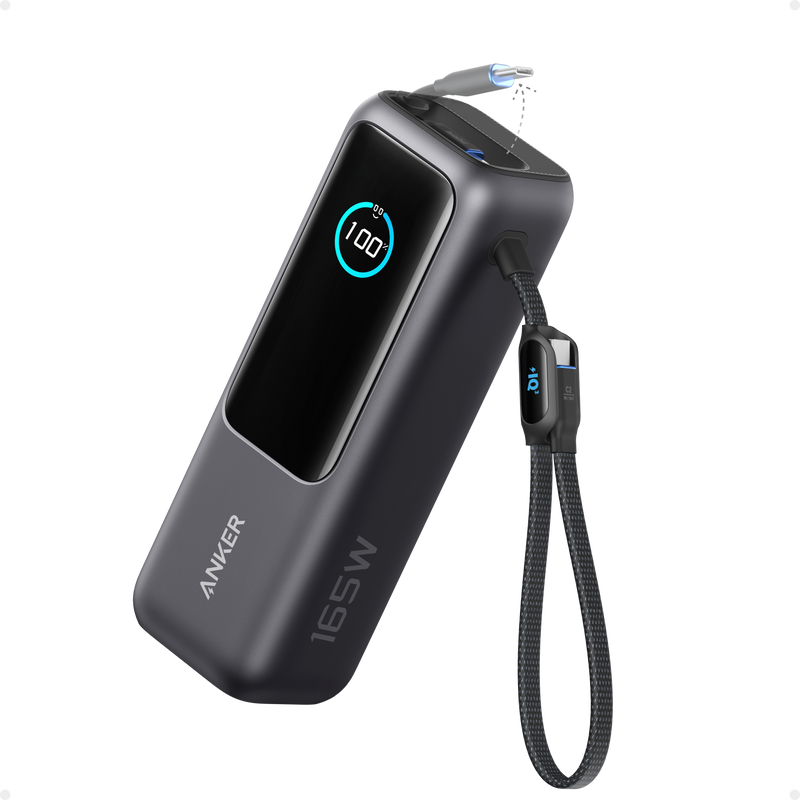
Anker Laptop Power Bank (25K, 165W)
Best for: most USB-C laptops, and anyone who hates carrying cables.
Buy this one if you don’t want to think about cables. It has two USB-C cables built in: one pulls out of the body and retracts, the other doubles as the carry strap. Plug the laptop into one and your phone into the other.
A single port gives up to 100W, enough to charge a MacBook Air, a 14-inch MacBook Pro or almost any Windows ultrabook at full speed. Two devices share up to 165W. The 25,000mAh battery is rated at 90Wh, under the 100Wh carry-on limit, and it recharges in about two hours from a 100W charger.
Its one real limit is 100W per port, so a 16-inch MacBook Pro charges more slowly from it than from its own 140W charger.
Pros
- Built-in cables
- 100W from one port
- Airline-friendly 90Wh
- Recharges in about two hours
Cons
- Tops out at 100W per port
- At 595 g it isn’t light
Most powerful
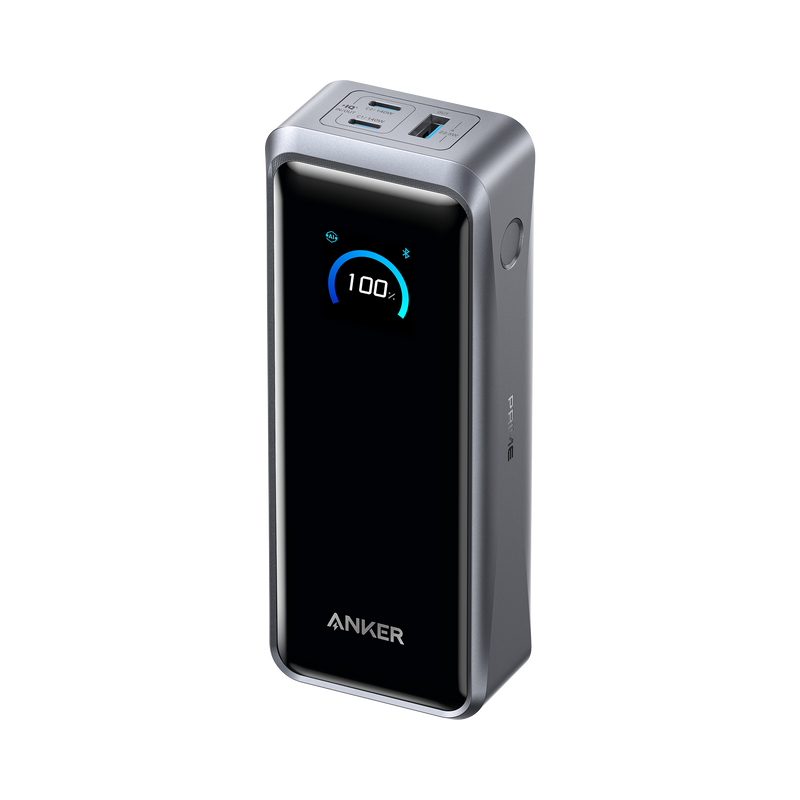
Anker Prime Power Bank (26K, 300W)
Best for: 16-inch MacBook Pro owners and charging two laptops at once.
Each of its two USB-C ports gives up to 140W, and together they reach 300W. A 16-inch MacBook Pro charges at full speed, or two laptops charge at once without slowing to a crawl. A third port, USB-A, takes care of a phone or earbuds.
It refills fast too. With a 140W charger in each USB-C port it takes in up to 250W. Few people own two of those chargers, but even one 140W charger brings it back to full quickly.
Pros
- 140W from each USB-C port
- 300W total
- Very fast recharge
Cons
- No built-in cable
- Costs more than the others here
- 600 g
Best value
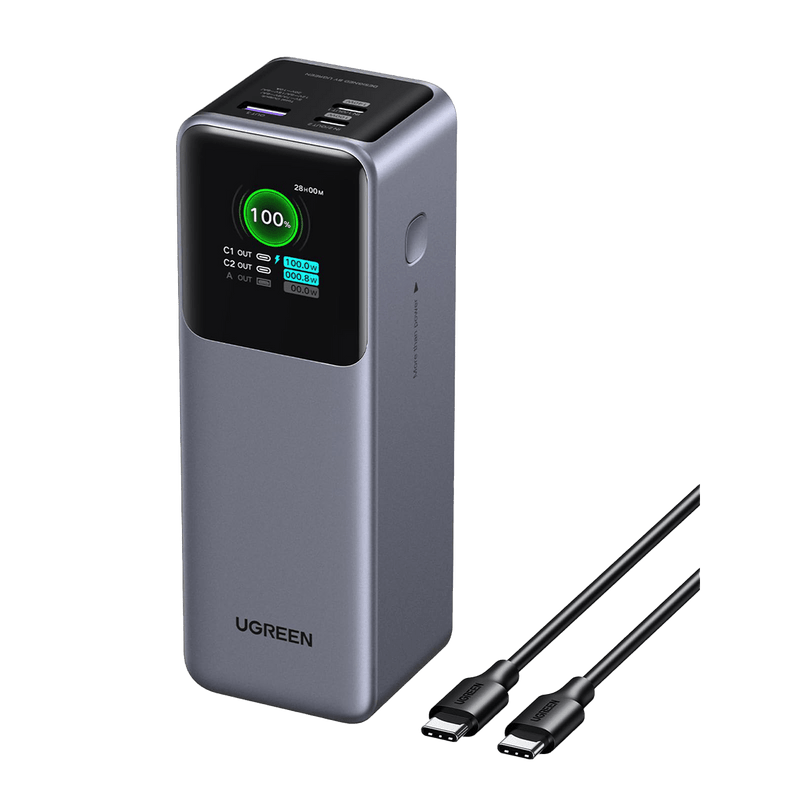
UGREEN Nexode Power Bank 25000mAh 200W
Best for: 140W charging at a lower price.
UGREEN gets you 140W from a single USB-C port and 200W in total, the same headline numbers as models that usually cost more. The 90Wh battery is cleared for carry-on, and the screen shows the live wattage of each port, so you can see whether your laptop is getting full power.
UGREEN says it can fill a 16-inch MacBook Pro about 1.3 times, or an iPhone 15 about five times.
Pros
- 140W port at a lower price
- Clear screen
- Airline-friendly 90Wh
Cons
- No built-in cable
- Around 600 g
Most capacity
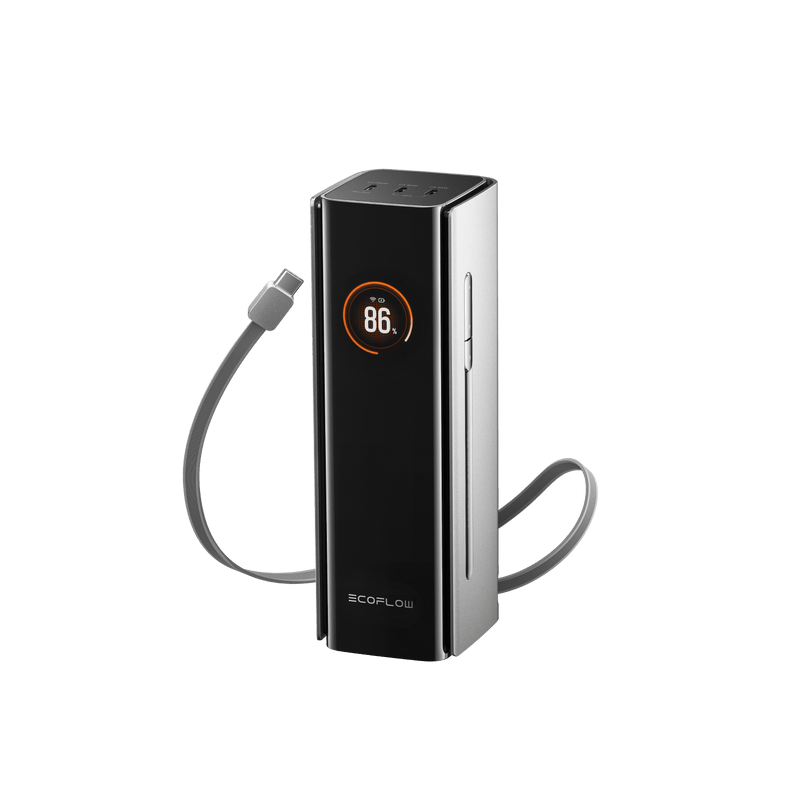
EcoFlow RAPID Pro (27K, 300W)
Best for: long trips where you need the most capacity allowed on a plane.
At 99.54Wh it holds about as much as you can carry onto a plane without asking the airline. It has a built-in 140W USB-C cable and more ports besides, and its total output reaches 300W, so a big laptop and a tablet can charge together.
Close to 700 g, it’s the heaviest pick here. It makes more sense for long trips and full working days away from outlets than for a daily commute.
Pros
- 99.54Wh, the most allowed without airline approval
- Built-in 140W cable
- 300W total
Cons
- Heaviest here
- The higher price only pays off if you need the extra capacity
Lightest
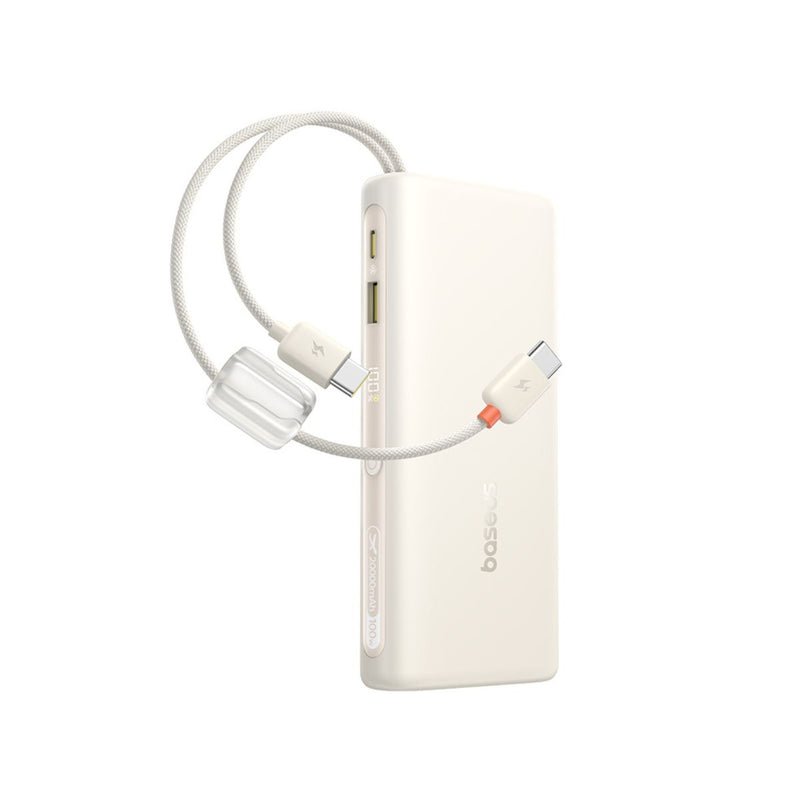
Baseus EnerFill FC41 20000mAh 100W
Best for: light bags and days out, with the cables built in.
At about 430 g this is the lightest pick here, and like the Anker 25K it carries its own cables. Two USB-C cables are built in, so a laptop and a phone can charge from it without anything else in your bag. It gives up to 100W over USB-C, enough for a MacBook Air or a 14-inch MacBook Pro, and a small screen shows how much charge is left.
The 20,000mAh battery (74Wh) is the smallest of the five, about one full charge for a MacBook Air. It also refills at up to 65W, so it takes longer to recharge than the bigger Anker and EcoFlow banks.
Pros
- Lightest pick
- Two built-in USB-C cables
- 100W USB-C
Cons
- Smallest battery here
- Slower 65W recharge
How to choose a power bank for your laptop
1. Match the wattage to your laptop
The charger that came with your laptop tells you how many watts it wants.
| Your laptop | Typical charger | Power bank port you need |
|---|---|---|
| MacBook Air (M-series) | 30 to 70W | 65W or more |
| 14-inch MacBook Pro | 70 to 96W | 100W |
| 16-inch MacBook Pro | 140W | 140W |
| Windows ultrabook (Dell XPS 13, Lenovo Yoga, HP Spectre) | 45 to 65W | 65W or more |
| Larger Windows laptop with USB-C charging | 90 to 100W | 100W |
| Gaming laptop with a round barrel charger | 180 to 330W | Not a good match for a power bank |
2. Compare capacity in watt-hours
The mAh number on the box is measured at the battery’s own voltage, about 3.6 to 3.7V. To compare it with a laptop battery, convert it to watt-hours:
Wh = mAh × 3.6 ÷ 1,000
So 25,000mAh × 3.6 ÷ 1,000 = 90Wh. A 13-inch MacBook Air has a battery of about 52Wh.
3. Expect less than the full capacity
Some energy turns into heat while the power bank raises the voltage for your laptop. Anker says its 25,000mAh banks usually deliver about 13,750 to 17,500mAh to a device, roughly 55 to 70% of the label. In practice a 90Wh power bank gives a MacBook Air about one full charge, with some left over for a phone.
4. Use the right cable
Above 60W the cable matters. A 100W laptop needs a USB-C cable rated for 100W (5A). For 140W you need a cable rated 240W (USB PD 3.1). A cheap phone cable will hold your laptop to 60W without telling you. Built-in cables avoid the problem, which is one reason we like the Anker 25K and the EcoFlow.
5. Check the ports you’ll actually use
If you charge a laptop and a phone together, look at the total output as well as the single-port figure. Many power banks split their power when a second device is plugged in.
Can you take a laptop power bank on a plane?
Yes, in your carry-on bag. In the US the FAA allows lithium-ion power banks up to 100Wh in carry-on luggage without approval. From 100Wh to 160Wh you need the airline’s approval, and you can carry at most two. Power banks are not allowed in checked bags at all.
Every pick in this guide is under 100Wh. Some airlines also limit using a power bank during the flight, so check your airline’s rules before you fly.
Which laptops won’t charge well from a power bank?
Gaming laptops and mobile workstations with a round barrel charger rated 180W or more. Most of them either refuse power over USB-C or take only a slow trickle from it. A power bank can keep one going for light work but won’t keep up while you game. Older laptops without USB-C charging need a power bank with a DC or AC outlet, which is a heavier kind of device.
Frequently asked questions
How many mAh do I need to charge a laptop?
For one full charge of a typical 13- or 14-inch laptop, look for at least 20,000mAh (about 74Wh). For more than one charge, or for a larger laptop, choose 25,000mAh or more.
Is 20,000mAh enough for a laptop?
For a MacBook Air or a small Windows ultrabook, a 20,000mAh power bank gives roughly one full charge. A 16-inch laptop gets a partial charge.
Will a power bank damage my laptop battery?
No. Over USB Power Delivery the laptop and the power bank agree on a safe voltage before charging starts, just as they do with the laptop’s own charger.
Can I use my laptop while it charges from a power bank?
Yes. If the power bank’s output is close to your laptop charger’s wattage, the battery keeps charging while you work. If it’s much lower, the battery still drains, only more slowly.
What is the most powerful power bank for a laptop?
Of the models here, the Anker Prime (26K, 300W) and the EcoFlow RAPID Pro (27K, 300W) both give 140W from a single USB-C port and 300W in total.
How we chose these power banks
We haven’t lab-tested these units ourselves. We compared each maker’s published specs (capacity, watt-hours, per-port and total output, weight, input speed) with independent reviews, and kept only models that deliver at least 100W over USB-C, are rated under 100Wh, and come from brands with a long record in charging products. We’ll update this guide when new models or prices change the picks.
The bottom line
Buy the Anker Laptop Power Bank (25K, 165W) if you want one power bank that charges almost any USB-C laptop and carries its own cables. For a big MacBook Pro that wants 140W, get the Anker Prime (26K, 300W), or the UGREEN Nexode 25000mAh 200W if you want 140W for less. Pick the EcoFlow RAPID Pro for the most capacity you can fly with, and the Baseus EnerFill FC41 if weight matters most.
Sources
- Anker: Laptop Power Bank (25K, 165W) specifications
- Anker: Prime Power Bank (26K, 300W)
- UGREEN: Nexode Power Bank 25000mAh 200W
- Macworld: EcoFlow RAPID Pro 27K review
- Baseus: EnerFill FC41 Digital Display Power Bank 20000mAh 100W
- Notebookcheck: Baseus EnerFill FC41 size and weight
- FAA PackSafe: lithium batteries and power banks